Sales Analytics with SAP B1: Leveraging SAP B1 for Sales Data Analysis
Sales data analysis is crucial for any business aiming to grow and stay competitive. For small and medium-sized businesses in Singapore, having the right tools to analyze sales data can make a significant difference. SAP Business One (SAP B1) offers a powerful platform to manage and analyze sales data efficiently. In this post, I will share practical insights on how to leverage SAP B1 for sales data analysis to improve decision-making and boost sales performance.
Understanding Sales Analytics with SAP B1
Sales analytics with SAP B1 helps businesses track sales trends, customer behavior, and product performance. The system collects data from various sales channels and consolidates it into a single platform. This integration allows businesses to access real-time sales reports and dashboards.
With SAP B1, you can:
Monitor sales performance by region, product, or sales representative.
Identify top-selling products and slow movers.
Analyze customer buying patterns.
Forecast future sales based on historical data.
For example, a retailer can use SAP B1 to track which products sell best during certain months and adjust inventory accordingly. This reduces stockouts and overstock situations.

Key Features for Sales Data Analysis in SAP B1
SAP B1 offers several features that simplify sales data analysis:
Customizable Reports
You can create reports tailored to your business needs. For instance, generate monthly sales summaries or detailed customer purchase histories.
Interactive Dashboards
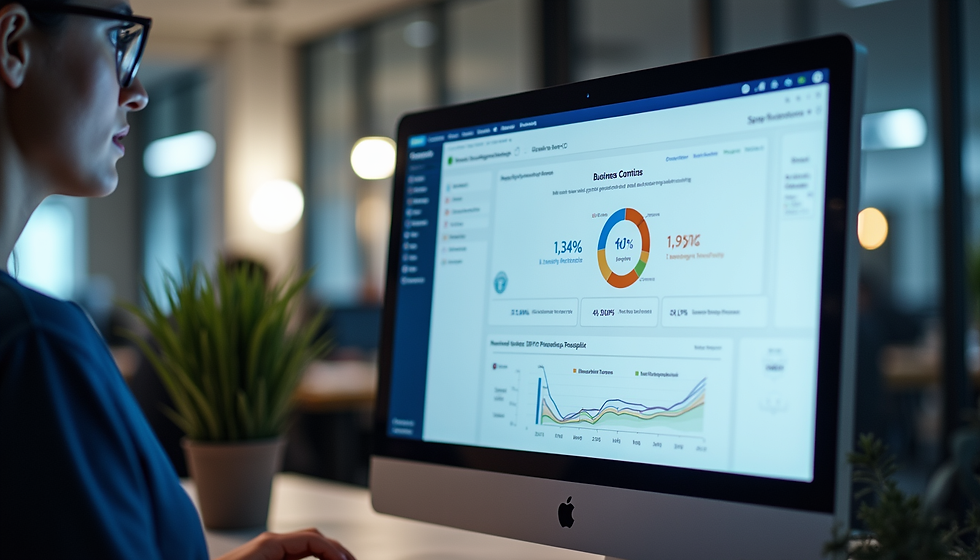
Dashboards provide visual insights with charts and graphs. They help you spot trends quickly without digging through raw data.
Real-Time Data Access
Access up-to-date sales data anytime. This helps in making timely decisions, such as launching promotions or adjusting prices.
Integration with Other Modules
SAP B1 integrates sales data with inventory, finance, and customer relationship management. This holistic view improves accuracy and efficiency.
Automated Alerts
Set alerts for specific sales thresholds or unusual activity. For example, get notified when sales drop below a target.
Using these features, businesses can streamline their sales analysis process and focus on actionable insights.
How to Use SAP B1 for Effective Sales Data Analysis
To get the most out of SAP B1 for sales data analysis, follow these steps:
Step 1: Define Your Sales Metrics
Identify the key performance indicators (KPIs) that matter most to your business. Common sales KPIs include:
Total sales revenue
Sales growth rate
Average order value
Customer acquisition cost
Sales by product category
Step 2: Set Up Data Collection
Ensure all sales data is accurately entered into SAP B1. This includes sales orders, invoices, and customer details. Consistent data entry is critical for reliable analysis.
Step 3: Customize Reports and Dashboards
Use SAP B1’s reporting tools to create dashboards that display your chosen KPIs. Customize filters to view data by time period, region, or sales team.
Step 4: Analyze Trends and Patterns
Regularly review your dashboards to identify trends. Look for seasonal sales spikes, declining product demand, or changes in customer preferences.
Step 5: Take Action Based on Insights
Use the insights gained to make informed decisions. For example:
Increase marketing efforts for high-performing products.
Discontinue or discount slow-moving items.
Adjust sales targets for your team.
Step 6: Review and Refine
Sales data analysis is an ongoing process. Continuously refine your reports and KPIs to align with changing business goals.

Practical Benefits of Using SAP B1 for Sales Data Analysis
Implementing SAP B1 for sales data analysis offers several practical benefits:
Improved Decision-Making
Access to accurate and timely sales data helps you make better business decisions.
Increased Sales Efficiency
Identify and focus on profitable products and customer segments.
Better Inventory Management
Align inventory levels with sales trends to reduce costs.
Enhanced Customer Insights
Understand customer buying behavior to tailor marketing strategies.
Time Savings
Automate data collection and reporting, freeing up time for strategic tasks.
For example, a small distributor in Singapore used SAP B1 to analyze sales data and discovered that certain products sold better in specific districts. They adjusted their distribution strategy accordingly, resulting in a 15% sales increase within six months.
Leveraging Government Grants with SAP B1
Small and medium-sized businesses in Singapore can benefit from government grants to adopt digital solutions like SAP B1. These grants help reduce the cost of implementation and training.
By leveraging SAP B1, businesses can:
Streamline operations and improve sales data accuracy.
Access detailed sales analytics to support growth strategies.
Demonstrate compliance and reporting capabilities required for grant applications.
Integrated Information Systems supports businesses in Singapore to implement SAP B1 effectively, helping them maximize the benefits of government grants and grow efficiently.
Final Thoughts on Sales Analytics with SAP B1
Using SAP Business One for sales data analysis is a smart move for any business looking to improve sales performance and operational efficiency. The platform’s robust features make it easy to collect, analyze, and act on sales data.
Remember to focus on your key sales metrics, customize your reports, and use insights to drive decisions. With consistent effort, SAP B1 can transform your sales data into a powerful asset for growth.
Explore how sap b1 sales data analysis can help your business today. Start leveraging your sales data to make smarter decisions and achieve better results.


Comments